Changelog

Follow new updates and improvements to Primfeed.

Import your old posts with the new Uploaded date, and event reminders on your phone
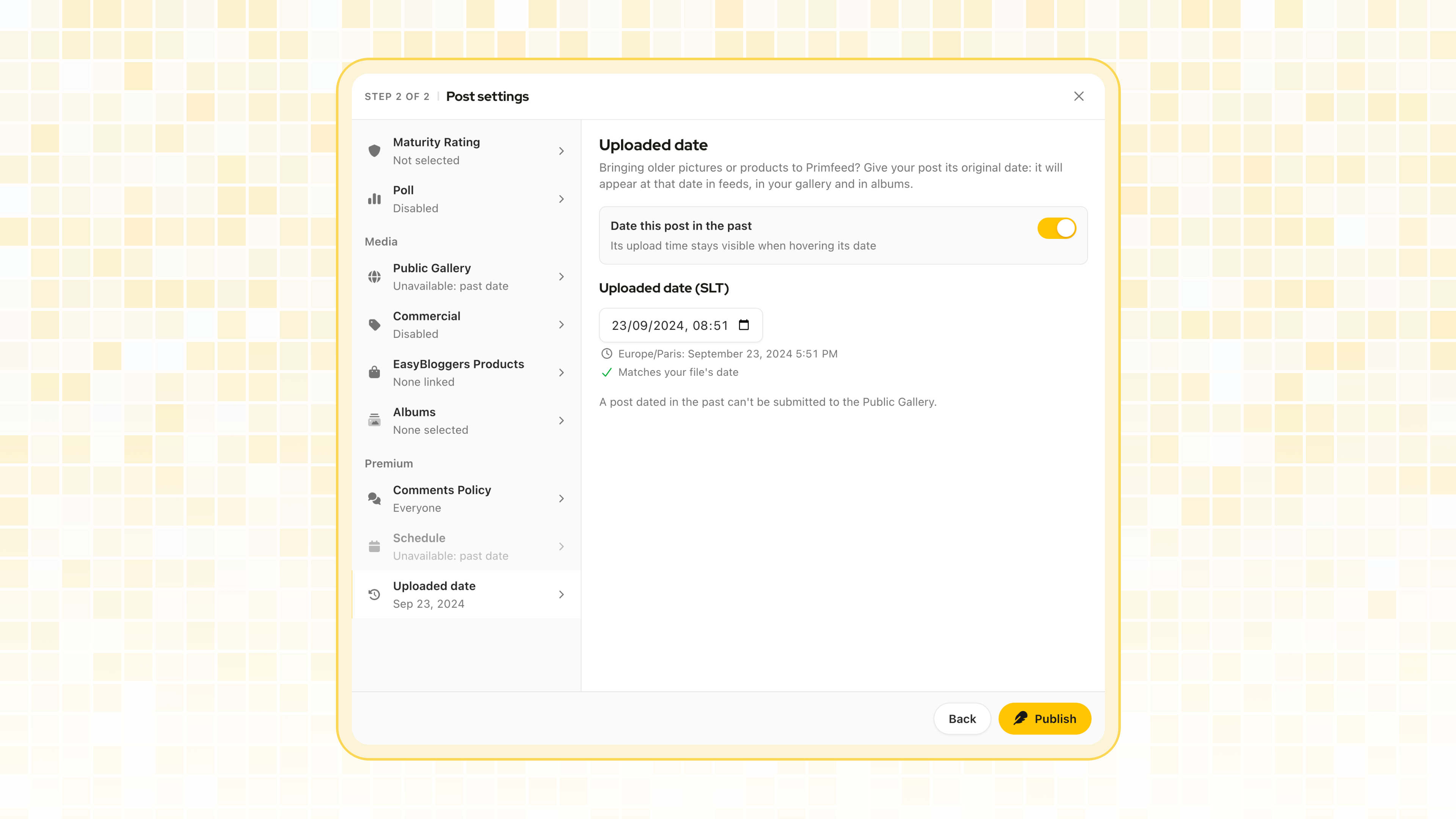
Many of you have years of Second Life pictures saved on your computer or posted on other platforms. Until now, posting them on Primfeed made them look brand new. Starting today, you can now import media in past date.

Uploaded date: import your old content

Primfeed Pro members and business pages on a Primeasy paid plan can now give a post a date in the past. In the post editor, open Uploaded date in the Premium section, next to Schedule, and pick when the post was really made.

  • When you turn it on, Primfeed suggests the date your first picture was taken, read from the file. You can keep it or pick another one.

  • The post then sits at that date everywhere: your profile, feeds, albums and products. It doesn’t jump to the top of your followers’ feed.

  • It only works on posts with a picture or a video. A post dated in the past can’t be scheduled or go in the Public Gallery.

Event reminders on your phone

Reminders for the events you’re Interested in now come as push notifications, one day and one hour before the event starts. You’ll also find them in your notifications under a new Events filter, and you still get the in-world IM.

You can turn each of them off in Settings, then Notifications, with Reminders for events you’re interested in.

Quality of life

  • New post: once you’ve used a Public Gallery slot, you see how many are left and when the next one frees up as soon as you start a post.

  • Scheduled posts: the list now shows them in the order they’ll be published.

  • Credits: product previews use the Marketplace’s 4:3 ratio, so posters no longer look flattened.

  • Themes: switching between dark and light applies right away, and the login page follows your device’s theme.

  • Login: you land back on the page you wanted, even when the link opened in an app internal browser, like Discord’s.

Fixes

  • View shares now lists every share each time you open it.

  • Deleted and ended events no longer send reminders.

  • Switching between your accounts on the same browser no longer sends a “New device connected” alert.

Thank you 💞
New Profile Details: let residents know if they can IM you

Primfeed is often where we discover each other. Until now, your only option was to show or hide the button that opens your Second Life profile, which didn’t really tell anyone if they could reach out to you. I wanted to give you a better way to say it.

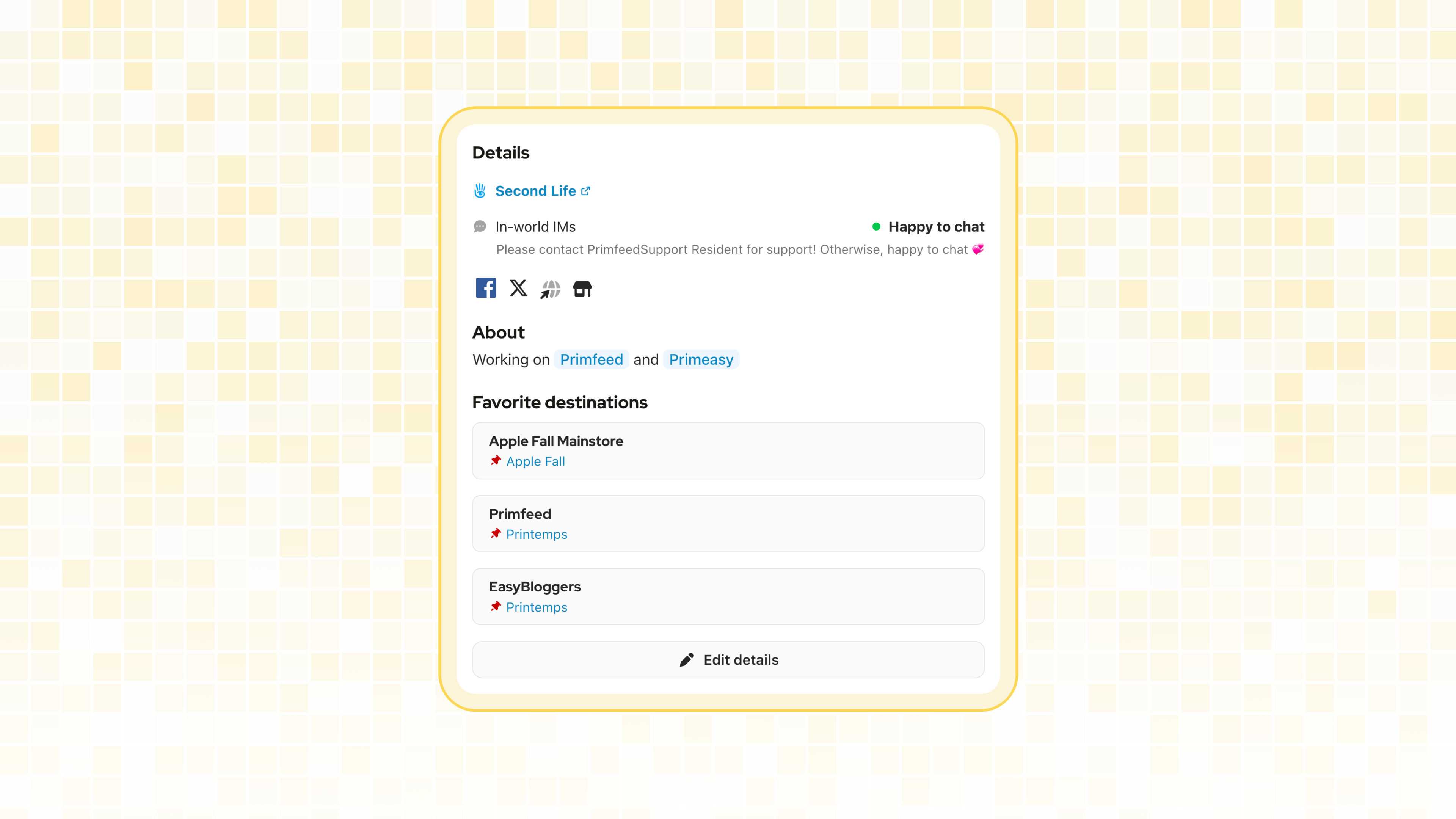
Your profile now has a new Details section.

In-world IMs

On your profile, click Edit details (or go to Settings, then Profile) and pick the answer that fits you:

  • Happy to chat: anyone can come and say hi 👋

  • Collabs, Commissions, Job offers, Bookings or Customer support: IMs about that topic are welcome.

  • Rather not: you prefer not to be contacted in-world.

You can add a short note under your answer, up to 100 characters, like what are you looking for, or your online hours.

The link to your Second Life profile is now in the same section, and choosing Rather not hides it. If you had hidden the “Open Second Life Profile” button before, your answer has been set to Rather not for you, so your link stays hidden.

Favorite Destinations

Your favorite destinations moved to the same place. You now add and remove them from Edit details instead of directly on your profile, and you can still share up to 3 places with their SLURL.

Business pages

Business pages get their own Profile tab in their settings, with the same Details and Favorite Destinations. It’s a nice way to tell your customers to IM you for Customer support, or that you’re open to Collabs. Owners and managers can both edit it.

Quality of life

  • Shared albums: posts waiting for your approval now open in full screen, so you can see every picture at full size, next to the post’s text and tagged products, before approving it.

All the details are in the help center: Add your in-world IM status and favorite destinations

Thank you 💞

NewImproved

New building, Albums Quality Of Life

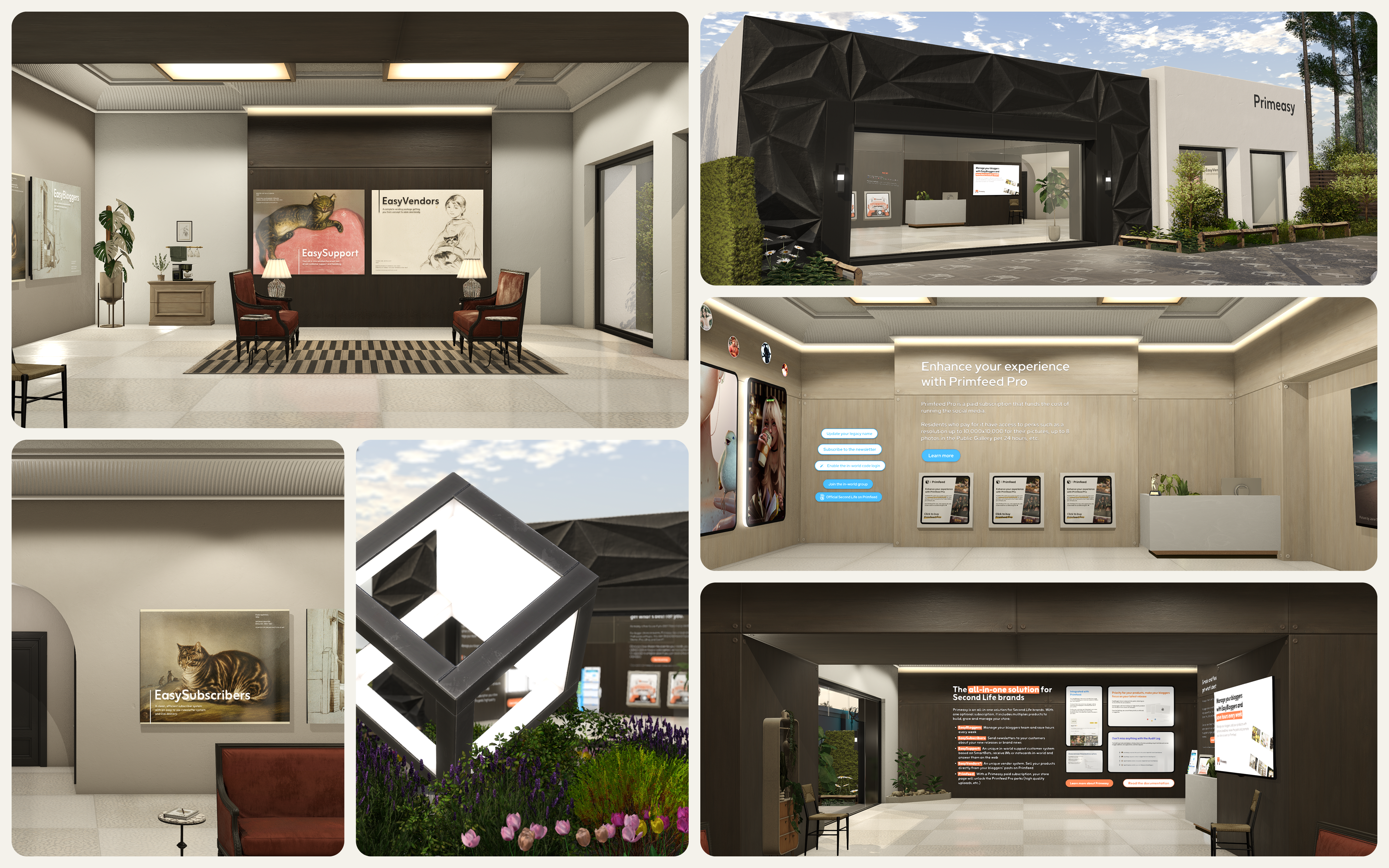
The old buildings has been here since Primfeed launch, and it was time to make it more modern, and use PBR’s capacities.

The result is, for Primfeed and Primeasy, one building that looks modern, clean, and show what Second Life and PBR is capable of.

Don’t hesitate to visit it on your next renewal, or to go now to discover what Primbits is, which I will share more about later.

Albums Quality Of Life

  • A new About tab has been added, which can contains Rules for your Shared Albums. Each rules will be displayed whenever a user is going to join your album.

  • Shared Albums can now be restricted to a specific Maturity Rating.

  • Custom slug has been added. So instead of /primfeed/albums/primfeed-anniversary which match the name of the album, `Primfeed Anniversary`, you can now have Primfeed Anniversary as a name, and the URL being /primfeed/albums/anniversary. Cleaner.

Thank you 💞

Earlier updates