Switch between your personal and store account
On Primfeed, a store account (your business page) is a separate identity you act as instead of your personal account, so posts, comments, likes, follows, and bookmarks all belong to the store rather than to you.
Written By Luke Rowley
Last updated 2 months ago
Your store account appears alongside your personal account once you own a store or are added as one of its managers.
How store accounts work
A store account is its own page on Primfeed, with its own profile, gallery, and followers. When you're acting as a store, anything you create (posts, comments, likes, follows, bookmarks) is owned by the store, not by your personal account.
You'll see a store in your account menu in one of two cases:
You own the store.
You're a manager of the store. Managers can post, comment, like, and change the information about the business page. (See Add or remove managers on a store account.)
Note: Cosmetics (avatar border decorations) apply to your personal account only. You can't equip them on a store account. See Activate cosmetics from your Inventory.
Switch between accounts
Open your account menu by clicking your profile picture (bottom of the sidebar).
In the dropdown, you'll see a list with your personal account and each store you own or manage.
Click the store you want to act as. Primfeed reloads the page, and you're now posting and interacting as that store.
To go back, open the same menu and click your personal account at the bottom of the store list.
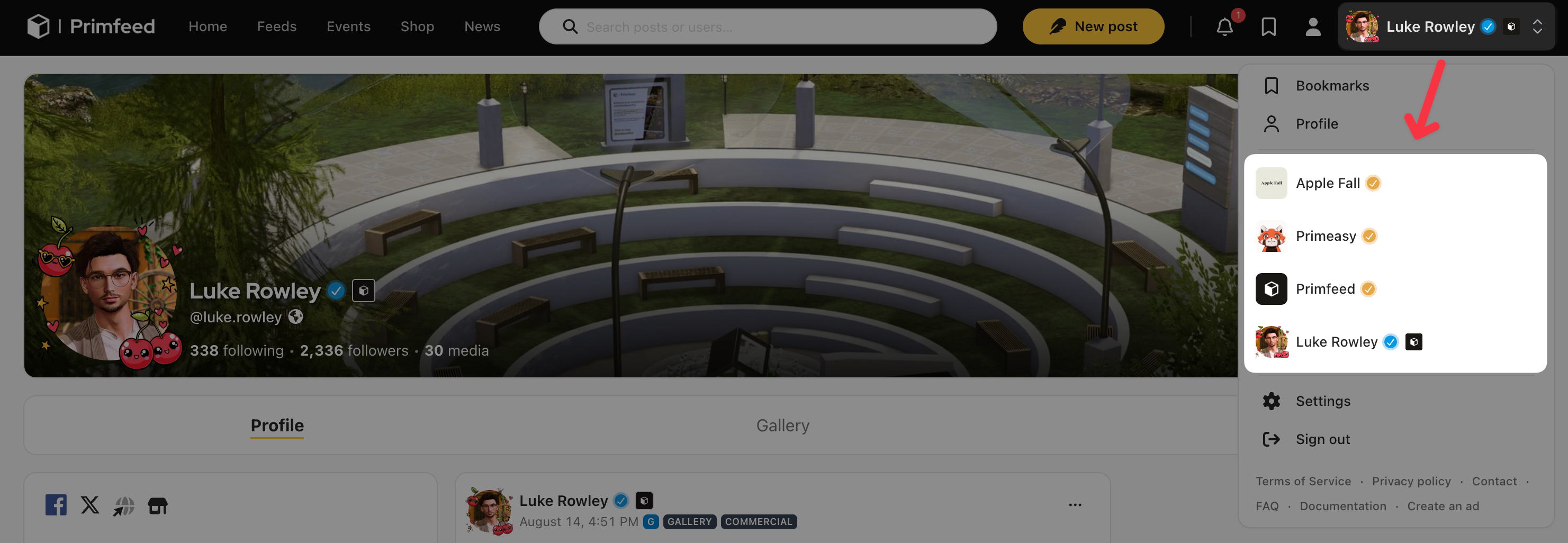
The page reloads each time you switch, which is normal. After it reloads, the profile picture and name in the sidebar reflect whichever account you're now using, so you can always tell at a glance who you're acting as.
Tip: Always check which account is active before you post. Because a switch sticks until you change it, it's easy to start a post as your store when you meant to post personally (or the other way around). A quick glance at the sidebar avatar confirms it.
When a store is greyed out
Sometimes a store appears in the list but you can't select it, because it's greyed out. This happens when a store has too many managers for its current plan.
A store on the free plan can only be selected by its owner. If you're a manager of a free-plan store, it'll be greyed out for you.
A store on a paid plan can be selected by managers too, but only up to the number of manager slots its plan allows. If the store is over that limit, it can't be selected.
What carries over and what doesn't
A few things to keep in mind once you've switched:
Posting and interacting happen as the active account. A post you publish while switched to your store belongs to the store.
Bookmarks are saved to whichever account is active when you bookmark, so a store's bookmarks and your personal bookmarks are kept separately.
Following happens as the active account too. If you follow a creator while acting as your store, the store follows them, and their posts show up in the store's feed.
Settings for your personal account live under your account, while a store's business settings (like managers and the store's own preferences) appear only when that store is selected.
Related articles
Was this helpful?
Still need help? Share an idea